

Key Takeaways
- Snore tracking apps use your phone’s microphone to record, measure, and score your snoring patterns overnight. They give you hard data on how often and how loud you snore.
- SnoreLab, Sleep Cycle, and SnoreClock are among the most trusted options in 2026. Each takes a different approach to snore detection, sleep stage tracking, and remedy logging.
- These apps cannot diagnose sleep apnea. But they can flag patterns like breathing pauses and gasping, which is useful data to bring to your doctor.
- Tracking consistently for at least 5 to 7 nights gives you a reliable baseline. From there, you can test changes like sleeping position, nasal strips, or mouth tape and actually see the difference in your scores.
- Pairing a tracking app with a nasal breathing solution gives you both the data and the fix in one routine.
Snoring affects roughly 45% of adults at least occasionally, according to the American Academy of Sleep Medicine (aasm.org). For many people, it goes beyond simple noise. Persistent snoring can signal restricted airways, poor oxygenation, and disrupted sleep stages. It can leave you dragging through the day and strain your relationship with the person who has to sleep through it.
The good news: you do not need a sleep clinic to start understanding your snoring. A well-designed snoring app turns your smartphone into a nightly monitoring tool, capturing audio, scoring intensity, and giving you data you can actually act on.
This guide breaks down the best snore tracking apps available right now. We cover what each one does well, what it costs, who it works best for, and how to pair tracking data with solutions that address the root cause of most snoring: mouth breathing.
Why Use a Snoring App?
A snoring app is not a replacement for a clinical sleep study. What it does is fill the gap between “I think I snore” and “I need to see a doctor.”
These apps use your phone’s microphone to pick up nighttime sounds. They record audio, analyze patterns, and generate reports showing how long, how loud, and how often you snored. Some classify sounds into categories like snoring, coughing, or sleep talking. Others can flag potential sleep apnea warning signs like gasping or extended breathing pauses.
Confirm whether you actually snore. Many people have no idea until a partner tells them. An app gives you objective proof you can see for yourself.
Identify your triggers. Logging factors like alcohol intake, sleeping position, allergies, or congestion alongside your recordings helps you spot what makes things worse.
Measure the effect of remedies. If you start using mouth tape for sleep, nasal strips, or a new pillow, you can compare your scores before and after.
Collect data for your doctor. If your app flags frequent breathing interruptions, those recordings become a practical starting point for a conversation about professional sleep apnea testing.
The 7 Best Snore Tracking Apps for 2026
Choosing the right app depends on your goal. Here is how the top options compare:
Quick Comparison Table
|
App |
Best For |
Platform |
Cost |
Key Feature |
Apple Watch |
|
SnoreLab |
Snore analysis + remedy testing |
iOS, Android |
Free (limited); ~$4/mo yearly |
Snore Score + BreathFlow breathing analysis |
No |
|
Sleep Cycle |
Full sleep tracking + snore detection |
iOS, Android |
Free (limited); $29.99/yr |
Smart alarm + AI coach + sleep stages |
Yes |
|
SnoreClock |
Free, privacy-first recorder |
iOS, Android |
Completely free |
11-hr local recording, no cloud |
No |
|
SleepScore |
Non-contact sonar tracking |
iOS, Android |
Free (limited); Premium |
Patented sonar technology |
No |
|
Pillow |
Apple ecosystem tracking |
iOS only |
Free (limited); $6.99/mo |
Auto-tracking via Apple Watch |
Yes |
|
Sleep as Android |
Android anti-snoring nudges |
Android only |
Free trial; ~$15 once |
Anti-snoring vibration + Wear OS |
Wear OS |
|
Do I Snore or Grind |
Snoring vs teeth grinding |
iOS only |
Free (limited); ~$3/yr |
Smart algorithm separates sounds |
No |
Pricing verified as of March 2026. In-app pricing may vary by region.
1. SnoreLab
Best for: People who want detailed snore tracking with the ability to compare remedies
Developer: Reviva Softworks Ltd (UK)
Platform: iOS (App Store) and Android (Google Play)
Official site: https://www.snorelab.com/
Cost: Free with limited recording sessions. Premium unlocks full-night recording, advanced trends, and BreathFlow analysis. In-app purchases range from $3.99 to $39.99, with the yearly plan running about $4/month. A 7-day free trial is available.
SnoreLab is the most widely used dedicated snoring app in the world. It has tracked over 170 million nights of sleep and earned endorsements from ENT doctors and sleep professionals globally. The app monitors over 1 million nights of snoring per month.
The app listens through your phone’s microphone overnight and generates a Snore Score based on how loud and how long you snored. You get an interactive timeline showing exactly when snoring peaked, along with audio clips you can listen to in the morning.
What sets SnoreLab apart is its remedy tracking. You can log what you tried each night, whether that is mouth tape, a different sleeping position, nasal strips, or even just skipping your evening drink. The app shows you side-by-side comparisons so you can see what actually made a difference. This feature is especially useful when testing solutions like mouth tape for snoring, because you get a clear before-and-after comparison.
The newer BreathFlow feature uses acoustic signals to estimate breathing stability during sleep. It calculates the percentage of your night spent in stable versus unstable breathing patterns, which can flag potential indicators of irregular breathing. This is not a clinical diagnosis, but it adds a useful data point to discuss with your healthcare provider.
SnoreLab also includes SnoreGym, a set of guided exercises designed to strengthen upper airway muscles, which research suggests may help reduce snoring over time.
Good to know: SnoreLab works best in a quiet room. Background noise from fans, TV, or a partner’s movements can reduce accuracy. Place your phone on your nightstand with the microphone pointing toward you.
2. Sleep Cycle
Best for: People who want comprehensive sleep analysis with snore detection included
Developer: Sleep Cycle AB (Sweden)
Platform: iOS (App Store) and Android (Google Play)
Official site: https://www.sleepcycle.com/
Cost: Free basic version with limited features. Premium costs $29.99/year and includes snore detection, full sleep statistics, sleep stories, and data export. A 30-day free trial of Premium is available.
Sleep Cycle goes broader than snoring alone. With over 40 million downloads and more than 3 billion tracked sleep sessions, it is one of the most established sleep apps available. The app monitors your entire sleep architecture, including light, deep, and REM sleep stages, then wakes you with a smart alarm during your lightest phase.
Snore detection is built into the premium package. The app records snoring, coughing, and sleep talking throughout the night. You can review audio clips and see how your snoring correlates with specific sleep stages. Sleep Cycle also includes an AI sleep coach called Luma that provides guidance based on your tracked patterns.
If you connect Sleep Cycle to an Apple Watch, it also tracks heart rate and body temperature, giving you a broader picture of your nighttime health. The app syncs with Apple Health as well.
Good to know: Sleep Cycle is the better choice if you want an all-in-one sleep tracker that happens to detect snoring. If your main focus is snoring analysis and remedy testing, SnoreLab offers more depth in that specific area.
3. SnoreClock
Best for: Anyone who wants a free, no-frills snoring recorder with full data privacy
Developer: Ralph Schiffhauer
Platform: iOS and Android
Cost: Completely free. No premium tier, no subscriptions, no in-app purchases.
SnoreClock strips away the extras and focuses on one thing: recording what happens while you sleep. It captures all nighttime audio and displays snoring events as red-highlighted sections on a simple timeline graph, with other sounds like coughing or talking shown in grey.
The biggest advantage here is privacy. SnoreClock stores everything locally on your device. No cloud uploads, no account creation, no data leaving your phone. For people who are cautious about sharing health data, this matters.
The app can record for up to 11 hours continuously and measures sound volume throughout the night. It uses FFT (Fast Fourier Transform) algorithms to detect and classify sounds with timestamps accurate to the minute.
Good to know: SnoreClock does not provide analysis, scoring, or coaching. It is purely a recorder. You review the data yourself and draw your own conclusions. If you want something that tells you what your snoring means, SnoreLab is the better fit.
4. SleepScore
Best for: People who want clinical-grade tracking without wearing anything
Developer: SleepScore Labs
Platform: iOS (App Store) and Android (Google Play)
Official site: https://www.sleepscore.com/
Cost: Free basic version. Premium subscription available for advanced features and detailed reports.
SleepScore stands out because of its tracking method. Instead of relying on your phone’s microphone alone, it uses patented sonar technology. The app sends out inaudible sound waves from your nightstand and measures how they bounce back to detect breathing patterns and body movement.
This approach can give it a more precise read on sleep stages than microphone-only apps. You get breakdowns of deep sleep, REM sleep, and awakenings, along with personalized tips on how to improve based on your data.
SleepScore also generates a 30-day sleep report that you can share with your doctor, which makes it a solid option if you are building a case for a professional sleep evaluation. SleepScore Labs is a dedicated sleep research organization, and the methodology behind the app is backed by published clinical studies.
Good to know: The sonar tracking feature may not be supported on all phone models. Check compatibility before downloading. On Android, sonar is certified for specific phones like newer Samsung Galaxy and Google Pixel models.
5. Pillow
Best for: Apple Watch owners who want automatic, hands-off sleep tracking
Developer: Neybox Digital Ltd
Platform: iOS only (iPhone, iPad, Apple Watch)
Official site: https://apps.apple.com/us/app/pillow-sleep-tracker/id878691772
Cost: Free basic version. Premium costs $6.99/month and unlocks sound recording export, detailed sleep statistics over time, and a power nap mode.
If you own an Apple Watch, Pillow integrates with it seamlessly. The app automatically detects when you fall asleep and starts tracking without any manual input. It records sleep stages, duration, disruptions, and audio events like snoring and sleep talking.
You can also use Pillow without an Apple Watch by placing your iPhone or iPad on your mattress, though the Apple Watch integration provides more accurate data including heart rate, HRV, respiratory rate, and wrist temperature.
Pillow connects to Apple Health, so your sleep data sits alongside your other health metrics. The app also includes mood tracking, which lets you see how your sleep quality correlates with how you felt the next day.
Good to know: Pillow is iOS-exclusive. If you use Android, Sleep as Android is the closest alternative with similar depth.
6. Sleep as Android
Best for: Android power users who want anti-snoring features and deep customization
Developer: Petr Nalevka (Urbandroid Team)
Platform: Android only (Google Play)
Official site: https://sleep.urbandroid.org/
Cost: Free 14-day trial. One-time purchase of approximately $15 (pricing may vary by region). 4.6-star rating on Google Play.
Sleep as Android is the most feature-rich sleep app on the Android platform. It tracks sleep cycles, detects snoring, and includes an anti-snoring feature that plays a gentle sound or sends a vibration through your smartwatch when it detects snoring. This nudges you to shift position without fully waking up.
The app supports integration with a wide range of wearables, including Wear OS watches, Garmin, and other compatible devices. It also includes a dream journal, CAPTCHA-based wake-up challenges, and a library of sleep sounds.
Good to know: Sleep as Android has a steeper learning curve than most apps on this list. It is packed with settings and options, which makes it powerful but potentially overwhelming if you just want simple tracking.
7. Do I Snore or Grind
Best for: People who suspect they snore or grind their teeth and want clarity
Developer: SleepScore Labs
Platform: iOS (App Store)
Official site: https://apps.apple.com/us/app/do-i-snore-or-grind/id1074484160
Cost: Free basic version. Premium unlocks additional features for approximately $3/year. Integrates with HealthKit.
This app is designed to answer a specific question: are you a snorer, a grinder, or both? It records nighttime sounds and uses a smart algorithm to classify them, so you can hear the difference between snoring and teeth grinding in the morning.
This makes it especially useful for anyone who wakes up with a sore jaw, morning headaches, or worn-down teeth and wants to understand the cause. The app lets you compare nights with and without remedies to see what helps.
If you suspect teeth grinding, that is worth exploring alongside snoring. The two are often connected through mouth breathing. When you breathe through your mouth at night, your jaw can shift into positions that trigger clenching and grinding.
Good to know: This app does not track sleep stages or offer a smart alarm. Its strength is narrow: identifying and differentiating snoring from grinding. For broader sleep tracking, pair it with Sleep Cycle or Pillow.
CPAP Companion Apps Worth Knowing About
If you already use a CPAP machine for sleep apnea, there are dedicated apps that sync with your device to track therapy compliance, mask fit, and treatment progress.
ResMed myAir works with AirSense 10 and AirSense 11 machines. It scores your nightly therapy session, flags mask leaks, and provides personalized coaching tips. Available on iOS and Android.
DreamMapper pairs with Philips DreamStation devices. It tracks compliance over time, shows visual progress trends, and includes video guides for troubleshooting.
If you experience CPAP dry mouth, adding mouth tape for CPAP keeps your lips sealed and prevents air from leaking through your mouth during therapy.
How to Get Accurate Results from Your Snoring App
Place your phone correctly. Set it on your nightstand with the microphone facing your bed. Keep it within arm’s reach but not under your pillow.
Plug it in overnight. Most tracking apps run your microphone continuously for 6 to 8 hours. Without a charger, your phone may die before morning.
Reduce background noise. Fans, white noise machines, open windows, and pets can create sounds the app misinterprets as snoring. Record in a quiet room for the first few nights.
Track consistently for 5 to 7 nights. One night tells you very little. Snoring varies based on fatigue, alcohol intake, congestion, and sleeping position.
Log your variables. Most apps let you tag each night with what you ate, your position, and remedies used. If you start using mouth tape on night four, compare nights four through seven with nights one through three.
Listen to your audio, not just the scores. Playing back recordings can reveal things a score alone misses, like the difference between soft snoring and loud gasping with silence in between.
Why You Snore and What Actually Fixes It
Most snoring happens because of mouth breathing. When you sleep with your mouth open, air passes over the relaxed soft tissues at the back of your throat and causes them to vibrate. That vibration is the sound your partner hears and your app records.
Nasal breathing changes the equation. When you breathe through your nose, air moves through a narrower, more controlled pathway. The soft tissues stay stable. Your airway stays open. Oxygenation improves. And snoring drops.
Research supports this. A clinical study published in Healthcare (2022) found that keeping the lips sealed during sleep with porous oral patches reduced both the snoring index and the AHI in patients with mild obstructive sleep apnea. Source: PubMed, PMID 36553034
The Role of Mouth Tape in Reducing Snoring
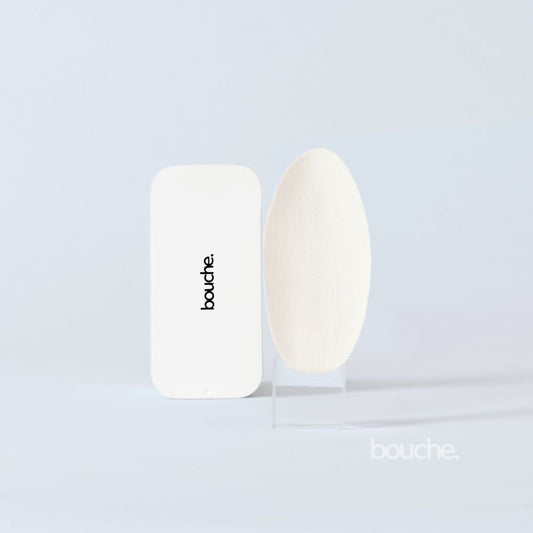
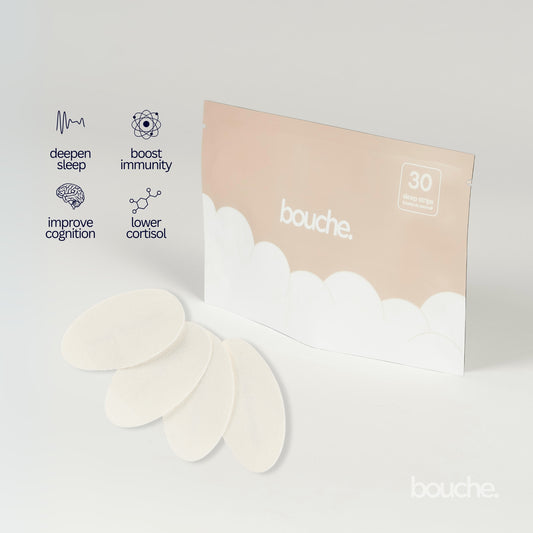
Mouth tape for snoring is one of the simplest, most effective tools for promoting nasal breathing at night. A medical-grade strip placed gently over the lips keeps your mouth closed while you sleep, redirecting airflow through your nose.
If you are new to the concept, we walk through everything in our guide to mouth taping for beginners, including how to start safely and what to expect on your first night.
- Save 65%
Nasal Strips for Congestion-Related Snoring
If nasal congestion contributes to your snoring, nasal strips for snoring physically open the nasal passages from the outside. They work well alone and even better when combined with mouth tape.
Bouche: A Science-Backed Solution for Better Sleep
Bouche is a premium wellness brand built on one mission: helping you breathe better and sleep deeper.
Our flagship mouth tape is medical-grade, hypoallergenic, and made in North America. It stays in place all night without irritating your skin, even for those with sensitive skin.
Bouche tape is compatible with CPAP therapy, making it a practical addition for anyone already being treated for sleep apnea. It also pairs naturally with a snore tracking app. Use SnoreLab or Sleep Cycle to measure your baseline for a few nights, start using Bouche, and track the difference yourself.
FAQs
Q: What is the best app to track snoring in 2026?
SnoreLab (snorelab.com) is the most widely used dedicated snoring app. It records audio, assigns a Snore Score, tracks remedy effectiveness, and includes BreathFlow breathing stability analysis. Available on iOS and Android. If you want broader sleep tracking with snore detection included, Sleep Cycle (sleepcycle.com) is a strong alternative with over 40 million downloads.
Q: Can my phone actually record me snoring?
Yes. Most snoring apps use your phone’s built-in microphone to detect and record sounds throughout the night. They capture audio, timestamp events, and in many cases classify sounds into categories like snoring, talking, coughing, or gasping. Place the phone on your nightstand with the mic facing your bed for the best results.
Q: How accurate are snoring apps?
Leading apps like SnoreLab and SnoreClock have demonstrated strong accuracy in controlled settings, especially in quiet rooms. They work best when used consistently over multiple nights. That said, they are not medical devices and should not be used as a substitute for professional diagnosis.
Q: Can a snoring app detect sleep apnea?
No app can diagnose sleep apnea. However, some apps can flag patterns associated with sleep-disordered breathing, such as loud and frequent snoring, gasping sounds, or extended pauses between breaths. SnoreLab’s BreathFlow feature specifically analyzes breathing stability and can identify indicators of irregular breathing. If your app shows these patterns, share the data with your doctor.
Q: What is the best free snoring app?
SnoreClock is the best fully free option. It records all nighttime sounds, highlights snoring events on a graph, and stores all data locally on your device with no account or subscription required. SnoreLab also offers a usable free version with limited recording sessions.
Q: Is there a snoring app that works with Apple Watch?
Yes. Sleep Cycle and Pillow both integrate with Apple Watch for enhanced tracking including heart rate, movement, and sleep stages. Apple Health on newer Apple Watch models (Series 9 and later, Ultra 2) also natively monitors sleep and can send notifications for potential sleep apnea indicators.
Q: What sleeping position reduces snoring the most?
Side sleeping is generally best. When you sleep on your back, gravity pulls the tongue and soft palate toward the back of the throat, narrowing the airway. Side sleeping keeps the airway more open. Use a snoring app to compare your scores in different positions.
Q: Does mouth tape really help with snoring?
Yes, particularly for people who breathe through their mouth at night. Research published in Healthcare (2022) showed that using oral patches to promote nasal breathing reduced both snoring frequency and the apnea-hypopnea index in individuals with mild obstructive sleep apnea.
Q: Do nasal strips work for snoring?
Yes. Nasal strips mechanically widen the nasal passages, making nose breathing easier. They are especially effective for people dealing with congestion, narrow nostrils, or a deviated septum. For the best results, use them together with mouth tape.
Q: How do I stop snoring right away?
Start with side sleeping, avoid alcohol before bed, and open your nasal passages with nasal strips or a saline rinse. For a longer-term solution, mouth tape promotes nasal breathing throughout the night and addresses the underlying cause of most snoring.
Q: Can I use a snoring app and mouth tape together?
This is one of the most effective combinations. Use the app for a few nights without tape to establish a baseline. Then start using Bouche mouth tape and track your results. Most users see a noticeable drop in their snore scores within the first few nights. SnoreLab’s remedy logging feature is built for this kind of comparison.
Q: Can snoring apps help with relationships?
They can. A snoring app provides objective data that takes the argument out of the equation. Instead of “you snore” versus “no I don’t,” you have actual audio recordings and scores. This can motivate action and make it easier to try solutions together.
Q: How to track snoring?
The easiest way is to use smartphone apps like SnoreLab, Sleep Cycle, or SleepScore. Place your phone on your nightstand, and the app records and analyzes sounds throughout the night, providing snoring scores and trends over time.
Q: Is SnoreLab safe?
Yes. SnoreLab is a reputable app that stores data locally on your device unless you choose to back it up. It only requires microphone permissions and has been downloaded millions of times. You can delete recordings after reviewing them if privacy is a concern.
Q: What is an average snore score?
In SnoreLab, most users score between 25 and 50. Under 25 is minimal snoring, 25 to 50 is mild to moderate, and above 50 suggests more significant snoring. Scores consistently above 100 may be worth discussing with a healthcare provider.
Q: What are the 4 grades of snoring?
Grade 1 is occasional snoring that doesn't affect sleep. Grade 2 is regular snoring occurring more than three nights weekly. Grade 3 is loud nightly snoring that disturbs others. Grade 4 is severe snoring with gasping or breathing pauses that may indicate sleep apnea.
Q: Do snoring apps really work?
Snoring apps are effective for tracking and awareness but don't treat snoring directly. They help you identify patterns and measure whether changes like mouth taping or nasal strips are making a difference. Think of them as monitoring tools rather than solutions.
Also Read
- Best Mouth Tape for Sleeping in 2026
- How to Stop Snoring: Causes and Solutions
- Mouth Taping for Beginners
- Nasal Strips vs Mouth Tape: Which Is Right for You?
- How Snoring Affects Relationships
- Common Causes of Snoring in Women
- Tongue and Throat Exercises to Stop Snoring
- CPAP Dry Mouth: How to Stop It
- Best Mouth Tape for Snoring: Buyer’s Guide